Windows users - easier way to publish pics to the gallery
Posted: Thu Jul 17, 2008 12:16 am
Ok..
So here are some instructions for Windows XP users on how to publish photos to your GoneDragRacing Gallery, directly from Windows Explorer. This should make it much easier for people that are not so good with computers..
First, click on this link and RUN the file. It is a file that inserts configuration items into the registry on your computer in order to upload directly to the gallery -- it is SAFE to run!
So, that is all you have to do to get Windows ready, now on to how to publish.
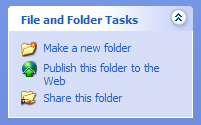
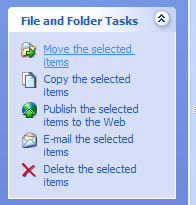
Open up windows explorer and browse to a folder that has pictures. On the left side you will see an item called "Publish this folder to the Web" or if you just select a few pictures, you'll get the option to "Publish the selected items to the web."
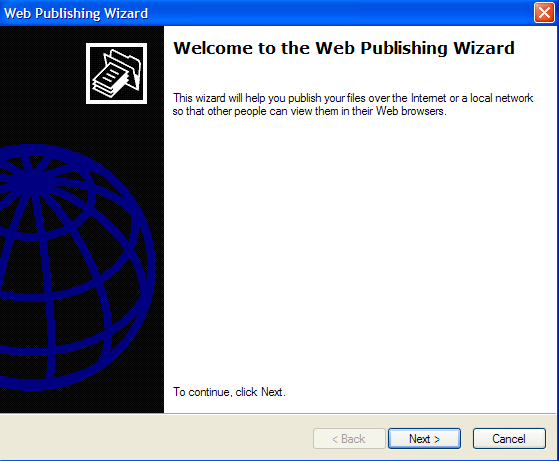
At the "Welcome to the Web Publishing Wizard" window, click Next"
In the "Change Your File Selection Window" make sure you check any pictures that you wish to upload to your gallery and hit Next

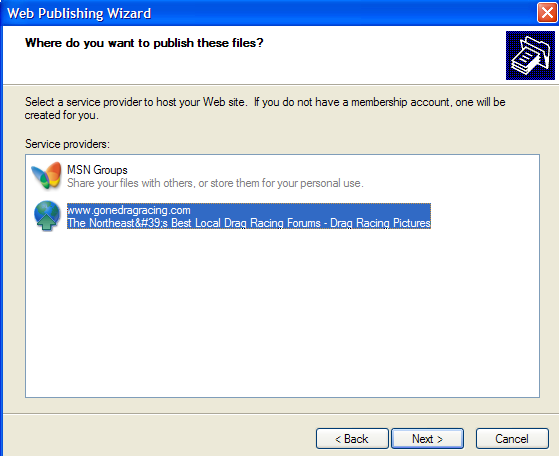
At the "Where do you want to publish these files?" window, highlight http://www.gonedragracing.com and click next.
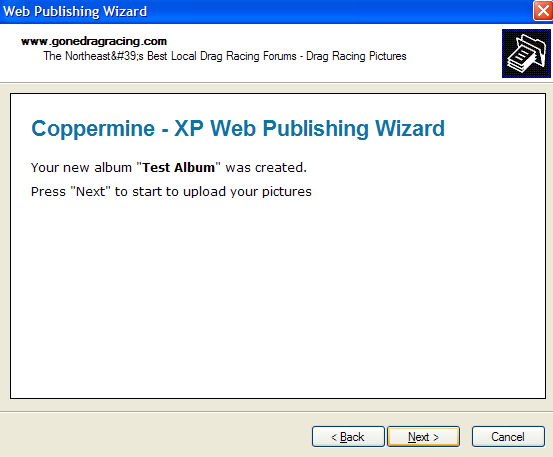
If this is your first album, you will be prompted to Create a new album. Enter an Album name and click Next. You will be notified that your album was created.
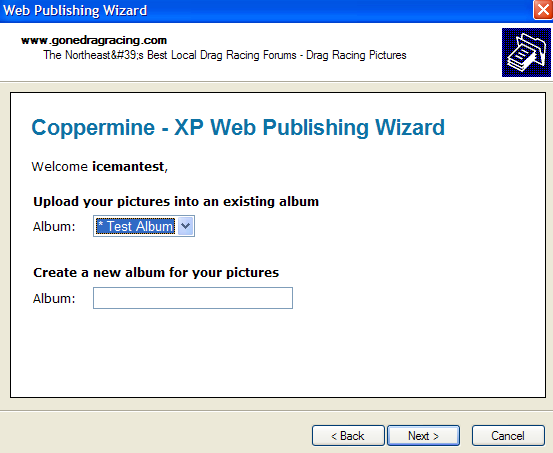
If this is not your first album, you can pick an existing album or create a new one. Make your choice and click Next.
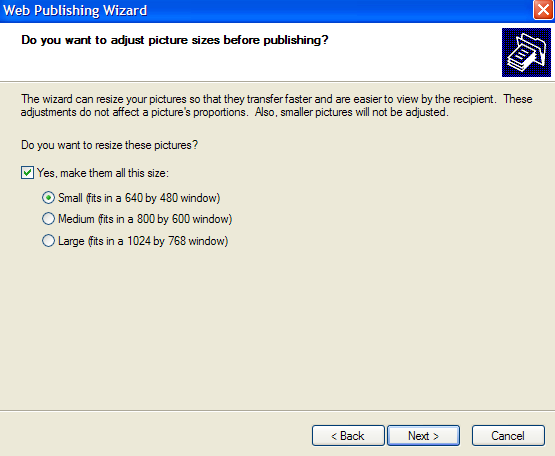
At the "Do you want to adjust picture sizes before publishing" window... you have the option to make the pictures smaller. If you try to upload some ridiculously sized image, the web site will resize it anyways.. so you can either pick Large or just uncheck the "Yes, make them all this size" box. Click Next and the pictures will get uplaoded.
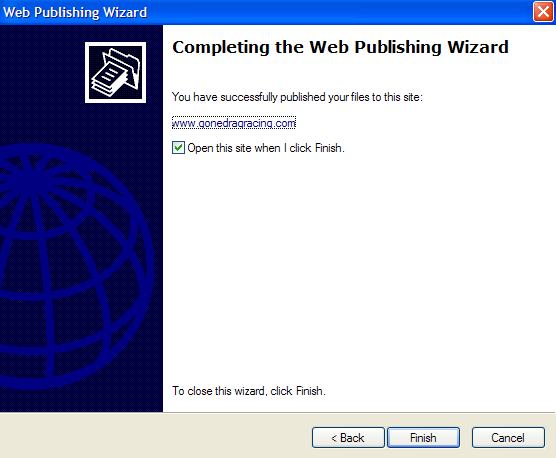
When complete, the finish window will come up.
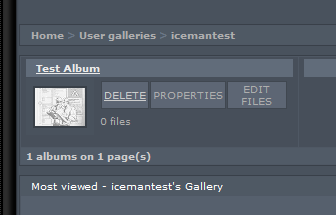
Now your files will be available in your picture gallery. Click they gallery link from the forum and click on "My Gallery"

You'll see your image gallery listed.. voila
Let me know how it works out! This should be better for people that upload a lot of pics
So here are some instructions for Windows XP users on how to publish photos to your GoneDragRacing Gallery, directly from Windows Explorer. This should make it much easier for people that are not so good with computers..
First, click on this link and RUN the file. It is a file that inserts configuration items into the registry on your computer in order to upload directly to the gallery -- it is SAFE to run!
So, that is all you have to do to get Windows ready, now on to how to publish.
Open up windows explorer and browse to a folder that has pictures. On the left side you will see an item called "Publish this folder to the Web" or if you just select a few pictures, you'll get the option to "Publish the selected items to the web."
At the "Welcome to the Web Publishing Wizard" window, click Next"
In the "Change Your File Selection Window" make sure you check any pictures that you wish to upload to your gallery and hit Next
At the "Where do you want to publish these files?" window, highlight http://www.gonedragracing.com and click next.
If this is your first album, you will be prompted to Create a new album. Enter an Album name and click Next. You will be notified that your album was created.
If this is not your first album, you can pick an existing album or create a new one. Make your choice and click Next.
At the "Do you want to adjust picture sizes before publishing" window... you have the option to make the pictures smaller. If you try to upload some ridiculously sized image, the web site will resize it anyways.. so you can either pick Large or just uncheck the "Yes, make them all this size" box. Click Next and the pictures will get uplaoded.
When complete, the finish window will come up.
Now your files will be available in your picture gallery. Click they gallery link from the forum and click on "My Gallery"
You'll see your image gallery listed.. voila
Let me know how it works out! This should be better for people that upload a lot of pics


 and you think this is easy ?????????????????????????

 ditto, i hear were your comming from...........

